
Slack
Your CRM, in the conversation. Mention the bot or DM it to read, create, update and soft-delete records without leaving Slack, and post messages, ephemerals, updates, deletes and reactions from your workflows.
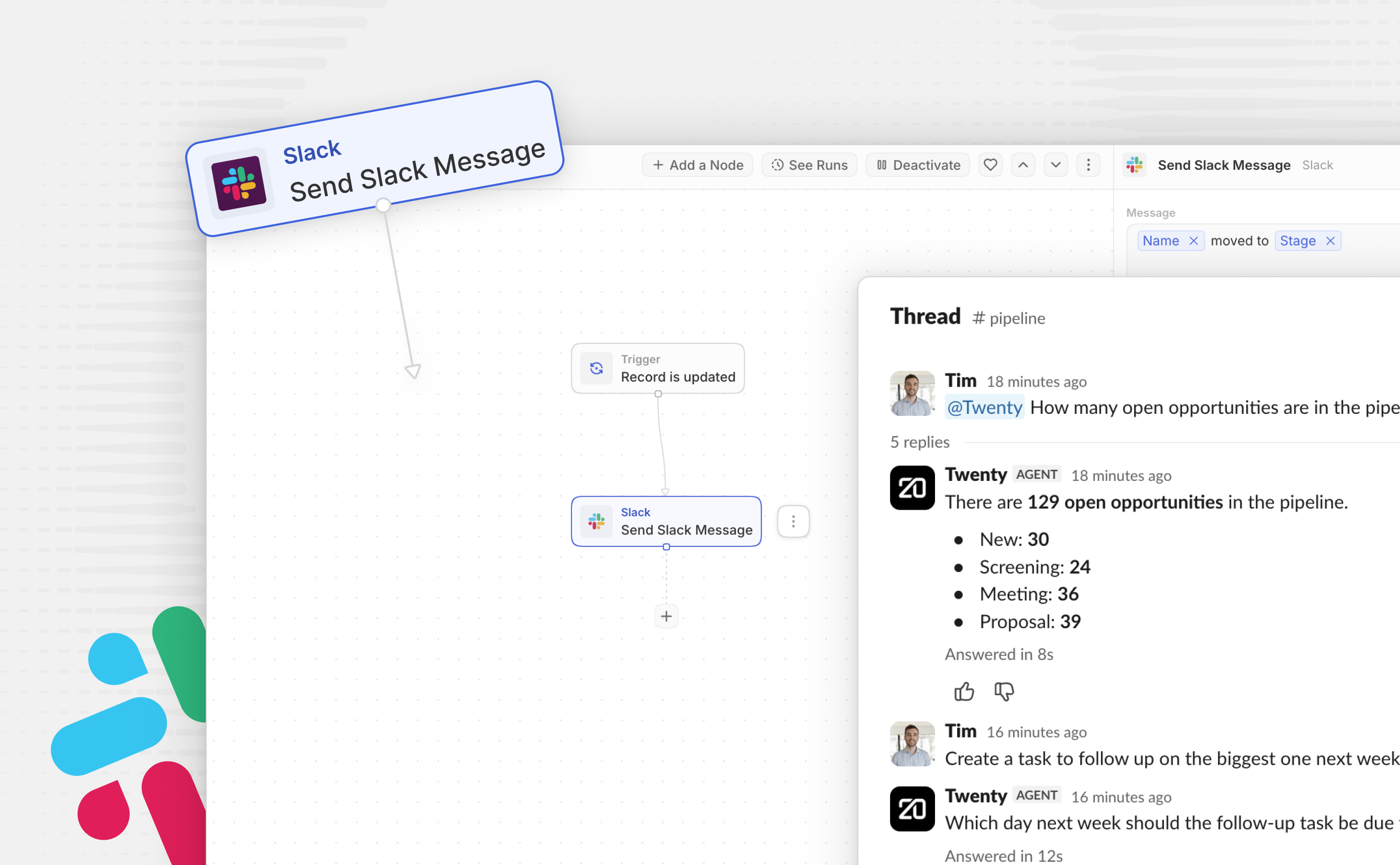
Your CRM, in the conversation. Ask Twenty anything from Slack, and post back to any channel.
How it works
Mention @Twenty in a channel or send it a direct message. It looks up records in your workspace, makes the changes you ask for and replies in the thread.
It only answers people whose Slack account is linked to a Twenty user, and it acts with that user's permissions, so it can't see or change anything they couldn't in Twenty.
Answers are generated by AI and can be inaccurate. Check important details in Twenty before acting on them.
Using the Twenty AI agent in Slack's app container (the side panel next to your conversations) requires a paid Slack plan. On free Slack plans, you can still ask Twenty questions by mentioning @Twenty in a channel or sending it a direct message. Record link previews and the Slack steps in Twenty workflows work on every plan.
- Ask questions: look up a contact, a company or your open deals.
- Create and update records: people, companies, opportunities, notes and tasks, from a message.
- Preview record links: paste a link to a Twenty record and Slack shows a preview of it.
- Slack steps for your workflows: post, update or delete messages, send ephemerals, add reactions, list channels.
What you can ask
- “How many open opportunities do we have?”
- “Which deals are closing this month?”
- “What do we know about Acme Corp?”
- “Create a company called Acme Corp”
- “Add a note to Jane Doe: follow up on pricing next week”
- “Create a task to send Acme the proposal by Friday”
Getting started
- Install the app: click Install to add the Slack app to your Twenty workspace.
- Connect Slack: in the app's Connections tab, click Add connection and approve the install in Slack.
- Link your accounts: Slack accounts with the same email as a Twenty user are linked automatically. An admin can link the rest from the app's Settings tab, and the person approves it in a DM from the bot.
- Start asking: type
/invite @Twentyin a channel and mention it with your question, or send it a DM.
Self-hosting? Your admin creates the Slack app and sets its credentials first: see the self-hosting setup guide.
Billing
Free to run: no per-seat, per-message or per-event charge. Assistant answers use AI credits on the model's token usage.