
Call Recorder
Capture every customer conversation automatically. A call recorder joins eligible meetings and records calls for you.
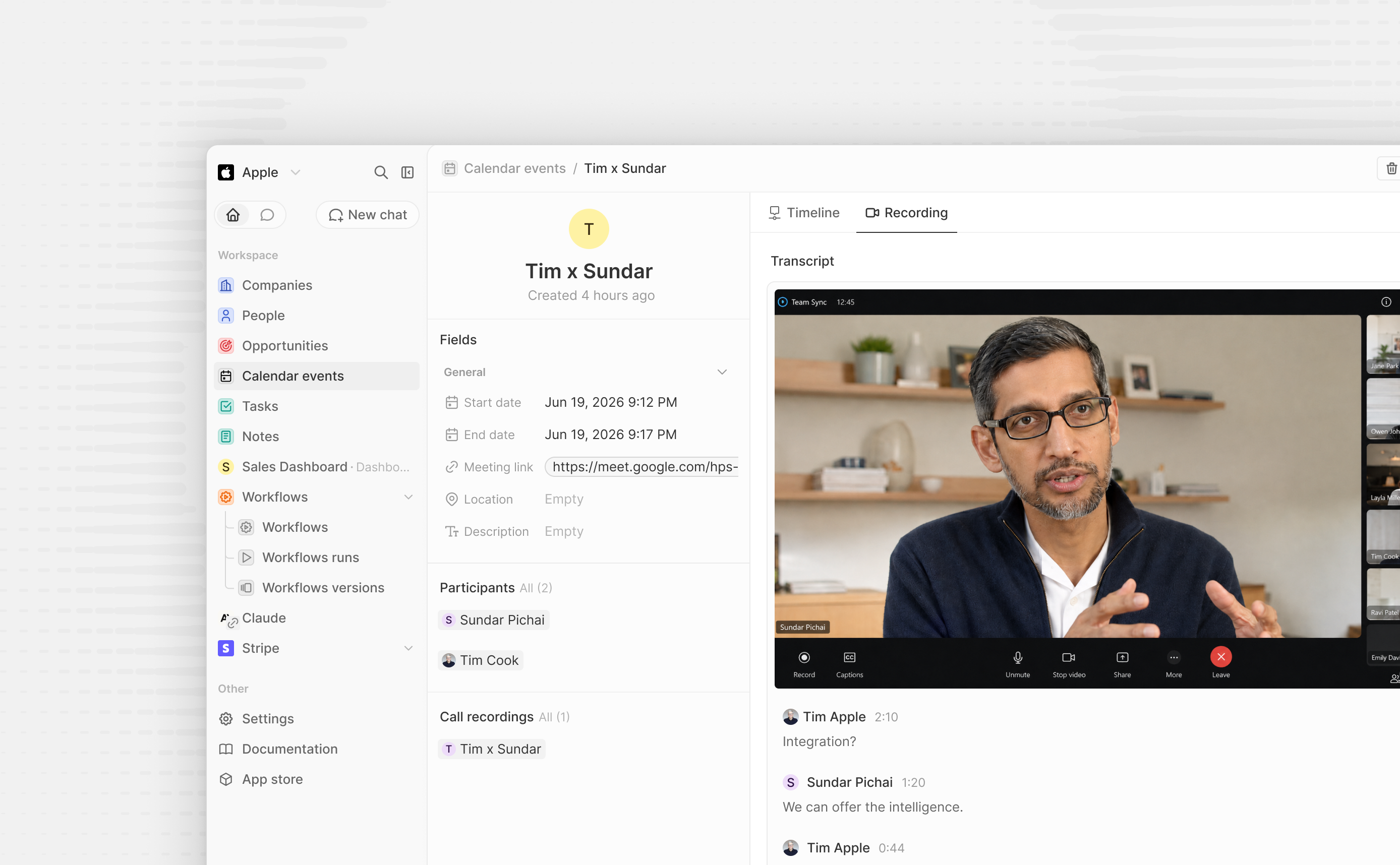
Record, transcribe, and save every meeting — right inside your CRM.
✨ What you get
- Recordings on every meeting
- A Call Recording tab
- A per-meeting on/off switch
- Customizable in-meeting recording notices
- AI meeting summaries
- Call participants and recordings on record pages
- Built for AI & automation
💳 Billing
Metered in Twenty credits based on the bot's actual recording time, prorated by duration — $1.00 per recording-hour (1 credit). No recording — opted out, canceled, or no-show — means no charge.
When the workspace cannot spend credits, each meeting is skipped shortly before
its bot would join: the bot is canceled, or never created, and the recording is
marked NOT_RECORDED with the reason. Later meetings are recorded again once
credits are available; the skipped meeting itself is not retried. A call that
is already being recorded is never cut short for credits.
AI summaries use workspace AI credits, billed on the model's token usage — the
cost scales with how much was said in the meeting, typically $0.02–$0.06 per
meeting on default models. Set the CALL_RECORDER_SUMMARY_ENABLED app
variable to false to turn summaries off.
🤖 The Recording Bot field
Each calendar event has a Recording Bot field. It starts blank and the app sets it to On when it actually schedules the recorder for that meeting, which happens once the meeting is within the seven-day scheduling window. Set it to Off to skip a meeting. Past meetings the recorder never joined simply stay blank.
👥 Calls on record pages
The app provides two record page widgets. Both read the meeting the recording belongs to, so nothing is copied onto the recording.
- Call participants is added to the Home tab of call recording pages. It shows the meeting's attendees. People in your CRM open their record when clicked; workspace members are shown by name. Attendees that match no one are shown by name, or by email when the invite has no name.
- Call recordings lists the 20 most recent recordings of meetings linked to a person, company or opportunity. To show it, edit that record page's layout and add the widget from the layout editor.
🗓️ Pausing the recorder
The Record my calendar meetings toggle in the app settings is on by default. Turn it off to stop scheduling bots for upcoming meetings and cancel every recording that is already scheduled; the Recording Bot field of those meetings goes back to blank, and an Off you set yourself is left alone. Turn it back on and the app sweeps upcoming meetings to schedule bots again.
🎥 Supported meeting platforms
The recording bot can only join meetings on these platforms:
- ✅ Google Meet
- ✅ Zoom
- ✅ Microsoft Teams
- ✅ Webex
- ✅ GoTo Meeting
Events whose conference link points to any other platform (e.g. ro.am, Daily, Whereby) or that only have a dial-in number are ignored — no bot is scheduled, since it can't join the call.
Recording notices are supported in Zoom, Google Meet, and Microsoft Teams. Workspace admins can turn them off or customize their text in the Call Recorder app settings. Webex and GoTo Meeting do not support bot chat messages.
📌 Heads up
- Needs a synced calendar + video link — ad-hoc calls that were never on your Google, Outlook, or CalDAV calendar aren't recorded.
- Your copy is yours — Twenty stores its own video, audio, and transcript, so they stay available after the source media expires.